Skip to content
gamebit

Play now

With your global controls

Super Robot Wars Alpha Gaiden

Sony PlayStation 288 games

2001 · 1 player

Banpresto

Super Robot Wars Alpha Gaiden is a pivotal side story in the acclaimed Alpha series, set between the events of Super Robot Wars Alpha and Alpha 2. It bridges the narrative gap with an original plot involving time travel and parallel worlds, featuring iconic mechs from series such as Gundam, Mazinger and Evangelion in turn-based strategic battles. The game introduces the innovative 'Twin Battle Sys

#rpg #strategy

Comments

Sign in to comment and reply.

Text only, no links. Be kind to others: comments can be reported.

About Super Robot Wars Alpha Gaiden

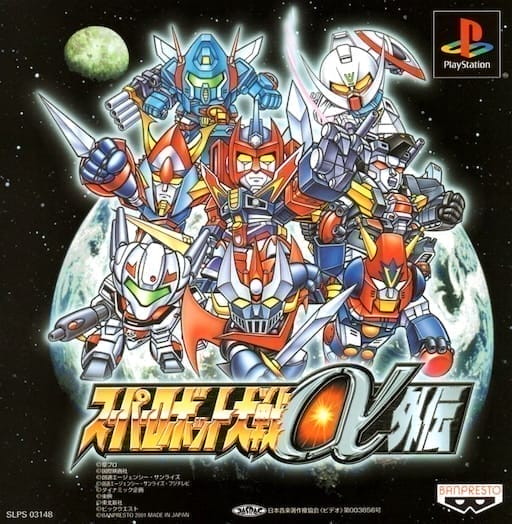
Cover of Super Robot Wars Alpha Gaiden
Developer
Banpresto
Year
2001
Console
Sony PlayStation
Series
Super Robot Wars
Players
1 player
Size
372322 kB
Genres
RPG Strategy

History

Super Robot Wars Alpha Gaiden is a pivotal side story in the acclaimed Alpha series, set between the events of Super Robot Wars Alpha and Alpha 2. It bridges the narrative gap with an original plot involving time travel and parallel worlds, featuring iconic mechs from series such as Gundam, Mazinger and Evangelion in turn-based strategic battles.

The game introduces the innovative 'Twin Battle System', which lets two units pair up for coordinated attacks and defenses, significantly deepening the tactical options.

Its story interweaves elements from The Big O, Brain Powered and Combattler V, focusing on the consequences of altering history and the rise of the 'Divine Crusaders' faction.

Acclaimed for its challenging difficulty, complex character relationships and high-quality animated battle scenes, it is considered one of the most narratively rich and mechanically refined entries in the entire Super Robot Wars franchise.

Controls

  • D-Pad: Move Cursor/Select
  • ○: Confirm/Interact
  • ×: Cancel/Back
  • □: View Unit/Map Info
  • △: Open Main Menu
  • L1/R1: Cycle through Units
  • L2/R2: Rotate Map/Change View
  • Start: Pause/End Turn
  • Select: Toggle Display